10 Twitter Analytics Tools to Investigate Your Marketing ROI
There is a common opinion that Twitter is not very much of a social network and it is rather a place for marketers. It is obvious that every marketer or entrepreneur that starts Twitter campaign has its own master plan of how to conquer the hearts of the target audience via this fast-growing and unique network. There are tons of various software that will help you optimize work with Twitter, but today we want to draw your attention to the Twitter analytics tools that will help you know your marketing efforts ROI.
Number of followers, their geolocation, impressions and other information that will be extremely useful for any considered Twitter user. The following list contains 10 various pieces of software containing options in their arsenal and we would love to tell you more about each of them. Of course some of these tools are already well-known among the web users (like Hootsuite or Tweetmeme) but we are sure you'll find several new names here. So, let's start off now.
1. HootSuite
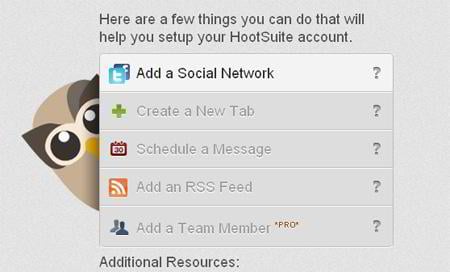
Hootsuite is a great software that will suit the most whimsical social media fans, its analytics tools are pretty impressive too. Several weeks ago they have informed about "HootSuite Analytics Info Sheet" - a measuring analytics toolbox that are available in-dash. You'll have the opportunity to use Ow.ly social stats, Google Analytics, Facebook Insights, and analyze custom URL parameters within your social media dashboard.
* * *
2. Bit.ly
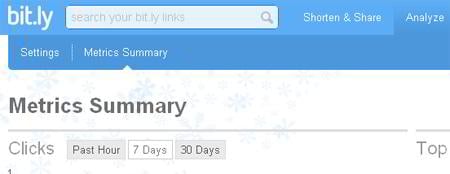
Next social media software product allows you to receive information about your "bit.ly" shortened links, number of clicks, top referrers and location data. Also you can trace all comments concerning your tweet and further shares on other social networks.
* * *

3. Cli.gs
Cli.gs delivers deep real-time analytics which includes geographical location of your visitors, search engine bots data, information about blogs that have mentioned your short URL, Delicious saves/bookmarks statistics. Also you can use data about the best referring sources of your tweets and you can use such excellent tool as geographically targeted destination URLs - target your marketing and promotions on a per-country basis.
* * *
4. Twitter Counter
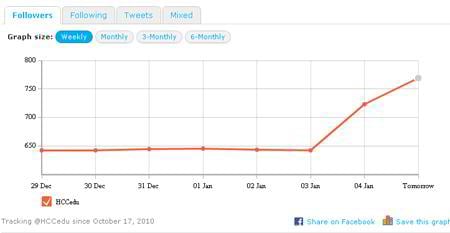
Analyze your Twitter activity with a tool which will give your reliable information in a comfortable CSV format that can later be imported into all kinds of software including MS Excel, Numbers or Google Docs. With this tool you'll be able to find out more about followers, friends, tweets, absolute and relative growth. Analyze trends and build your strategy using this amazing tool.
* * *
5. Tweetstats

Tweetstats creates informative graphic reports about twitter activity which may contain aggregates of your daily and hourly tweets, monthly statistics report with interactive data visualization, information about your interface usage, number of replies and mentions of your account.
* * *
6. Tweetreach
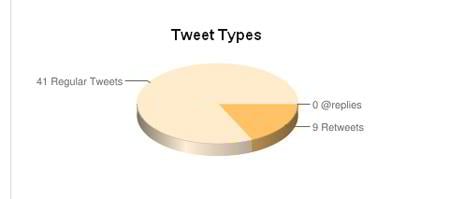
Tweetreach builds for you two pie charts concerning tweet types and quantity of impressions. So you'll know how many people your tweets have reached which helps you coordinate your twitter marketing strategy in a right direction.
* * *
7. Tweetmeme
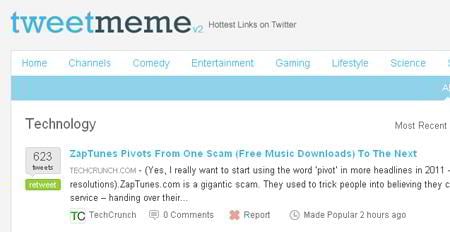
Tweetmeme analytics monitors retweet data, tweet locations, referring domains, influential users, user stats and many more. With this tool you'll increase your ROI and will enhance your social craftsmanship.
* * *
8. Tweetmetrics
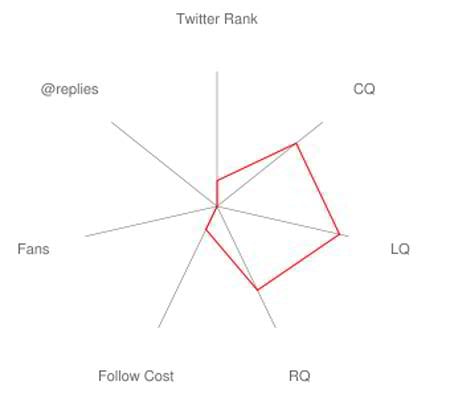
Tweetmetrics is another interesting measuring tool for all Twitter maniacs. This software will give several various reports concerning your account including "account by numbers", Twitgraph, Network overlap and few others.
* * *
9. Twitalyzer
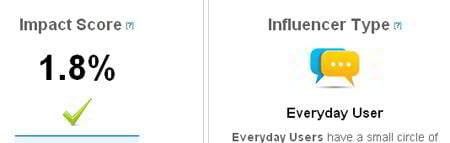
Twitalyzer's metrics includes influence score, facts about your networks, velocity - the rate one updates statuses on Twitter, most popular hash tags by you and some other interesting data about your account.
* * *
10. Trendistic
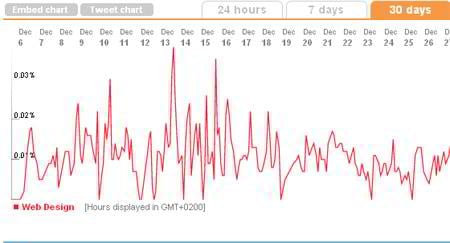
Monitor popular and recent trends on Twitter which are displayed via informative and interactive charts. You can embed this chart to the HTML page or tweet it. Simple yet effective tool will help you a lot to know more deeply about popular topics on Twitter.
* * *
Also you can check out our list of Facebook Analytics tools brought to you by our team.
How Do I Build An Audience On Social Media? [Free eBook]

Edward is a professional technical writer who is also passionate about making stunning designs in Photoshop. You can find many useful tutorials in his collection of articles at MonsterMost.
Get more to your email
Subscribe to our newsletter and access exclusive content and offers available only to MonsterPost subscribers.

Leave a Reply
You must be logged in to post a comment.