Shine Your Boots! Bootstrap Hornbook [Interactive Infographic]
Much has already been said about Bootstrap...What it is...How to use it...What benefits and drawbacks it has. We decided to unite most interesting things dedicated to Bootstrap in one single place, just like we did some time ago with Responsive Web Design. So here comes a new one interactive infographic designed by TemplateMonster team.
Look at the screenshot below, what you see is a static version of our Bootstrap Infographic. Here “static” means a plain .jpg file. To come across the full version click this screenshot, you can also visit the Infographics page to see some other interactive guides produced by Monster.
As you see, this infographic was given the look of Windows 8 Metro interface. This OS version is pretty popular these days, first of all, due to its offbeat look, second due to integration into tablets and smartphones. We decided that infographic with such looks will be pretty intuitive and easy to get through by all users.
Now, once again look at the screenshot, all content blocks of the guide are subdivided into categories and are ranged by the color, so there will be no mix-up which thing goes where - that's for the .jpg version. As for the interactive everything is pretty simple and straightforward - click the tile to see what's inside.
So what's there?
People all around the web have already succeeded building Bootstrap based websites and apps, just check out the Built with Bootstrap directory and you will find tons of cool websites. No need to tell over and over again what exactly Bootstrap is, all that remains is to enjoy this framework. In this Infographics we’ve gathered tool chest for every Bootstrap developer: styles generators, theme generators, free PSDs/fonts/buttons/icons, numerous tutorials (including video lessons), plugins, code snippets, shortcodes and whatnot. Bootstrap with pleasure.
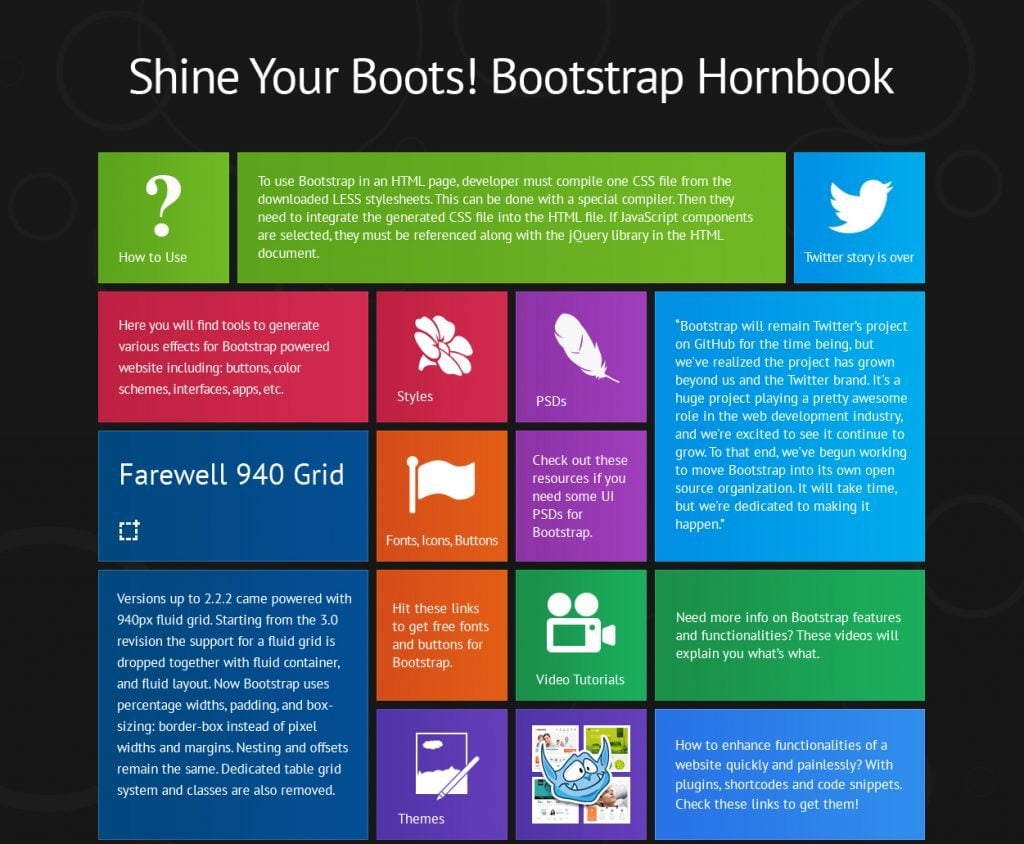
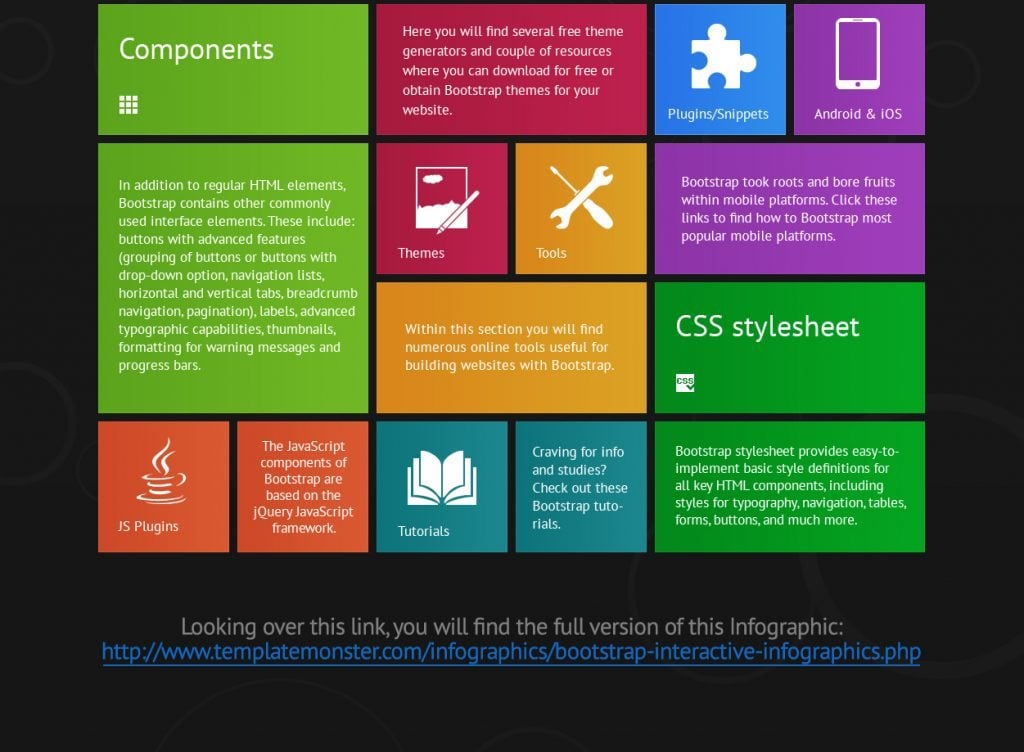
To see the full version of this Bootstrap Infographic, please follow the link.
***
Check our bootstrap themes and don’t forget to share this thing with your friends (across the social media sites, such as Facebook, Twitter, Google+, Pinterest, StumbleUpon). If they are involved in website designing or somehow deal with Bootstrap, they’ll definitely find something useful in it. Also, keep in mind that the Copy button at the bottom of the interactive version lets you save the code of .jpg version to incorporate it into your web page or somewhere else.
Don’t miss out these all-time favourites
- The best hosting for a WordPress website. Tap our link to get the best price on the market with 82% off. If HostPapa didn’t impress you check out other alternatives.
- Website Installation service - to get your template up and running within just 6 hours without hassle. No minute is wasted and the work is going.
- ONE Membership - to download unlimited number of WordPress themes, plugins, ppt and other products within one license. Since bigger is always better.
- Ready-to-Use Website service is the ultimate solution that includes full template installation & configuration, content integration, implementation of must-have plugins, security features and Extended on-page SEO optimization. A team of developers will do all the work for you.
- Must-Have WordPress Plugins - to get the most essential plugins for your website in one bundle. All plugins will be installed, activated and checked for proper functioning.
- Finest Stock Images for Websites - to create amazing visuals. You’ll get access to Depositphotos.com to choose 15 images with unlimited topic and size selection.
- SSL Certificate Creation service - to get the absolute trust of your website visitors. Comodo Certificate is the most reliable https protocol that ensures users data safety against cyber attacks.
- Website speed optimization service - to increase UX of your site and get a better Google PageSpeed score.

Get more to your email
Subscribe to our newsletter and access exclusive content and offers available only to MonsterPost subscribers.

Leave a Reply
You must be logged in to post a comment.